A CJA practice sandbox with real data to analyse
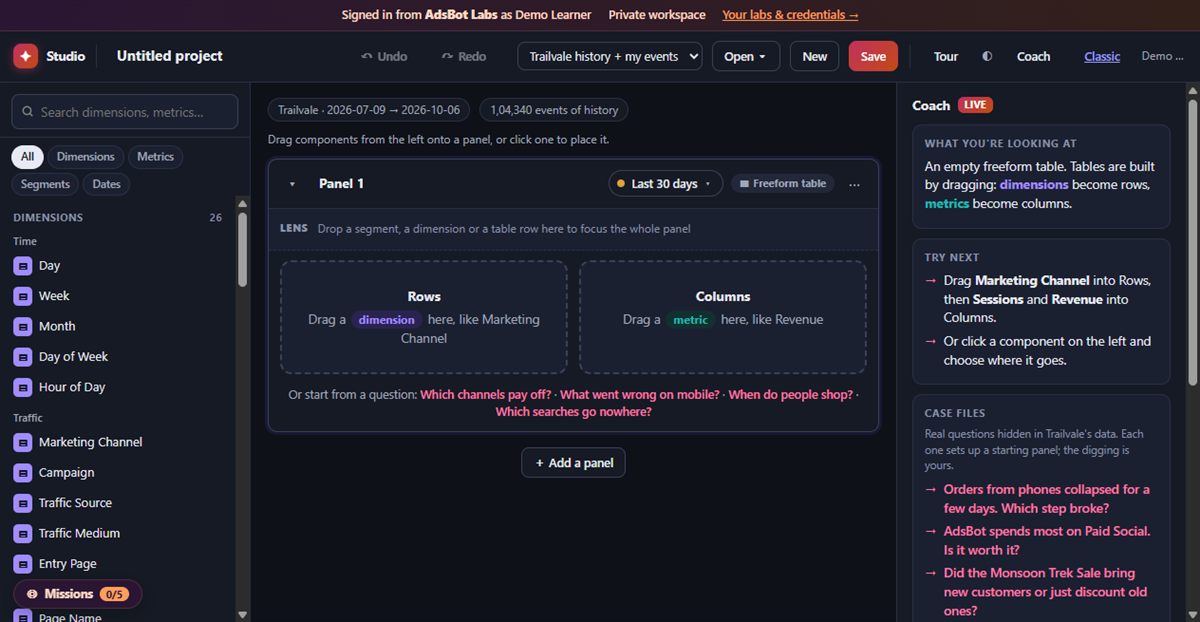
Build connections and data views, then answer business questions in a drag-and-drop Analysis Studio with 90 days of store data. Your own workspace, checked as you go.
No card, no password: we email you a link to start.
What you can practise
The same work you'd do on a client project, in your own private workspace.
Connections over datasets, stitched on a person ID
Data views with dimensions and metrics
Freeform tables and breakdowns
Segments and calculated metrics
Fallout, flow and cohort analysis
90 days of data from the lab store
Missions that check your work
Each is a list of checks run against your own sandbox. Pass them all and claim a verifiable credential.
Create a CJA Data View
CJA connections · Data view design · Dimensions and metrics setup
Answer Business Questions in Analysis Studio
Freeform analysis and breakdowns · Segment containers · Calculated metrics · Fallout, flow and cohort analysis
How it works
Open your workspace
A private copy of the lab, with realistic data from the lab store.
Do the missions
Step by step, with an AI Mentor that reads your actual setup when you're stuck.
Prove it
Credentials with the exact skills, a public page and an Add to LinkedIn button.
Questions
Is this a real Customer Journey Analytics instance?
No. It is AdsBot's own simulation, built for practice and inspired by Adobe's tools. AdsBot is independent and not affiliated with Adobe.
Where does the data come from?
From the lab store: the same data flows through the AEP, CJA and Journeys labs, the way it does in a real implementation.
How do I know I did it right?
Each mission is a list of checks run against your own workspace, such as a saved project with a breakdown, a segment and a fallout.
Start practising CJA today
Your own workspace, missions that check your work, credentials you can share.
AdsBot is independent and not affiliated with Adobe. The labs are AdsBot's own simulations, inspired by Adobe's tools.